How to Install Pikashow APK for Live Sports, News, and Entertainment
A comprehensive guide on how to download and install the Pikashow APK on your Android device, providing access to live sports, news, and television entertainment.
App Information
| App Name | Pikashow |
|---|---|
| Version | 10.12.5 |
| Size | 27 MB |
| Downloads | 10,390,393+ |
| Updated | 2026-04-02 |
| Category | Entertainment |
| Rating | 4.5 |
How to Install Pikashow APK for Live Sports, News, and Entertainment
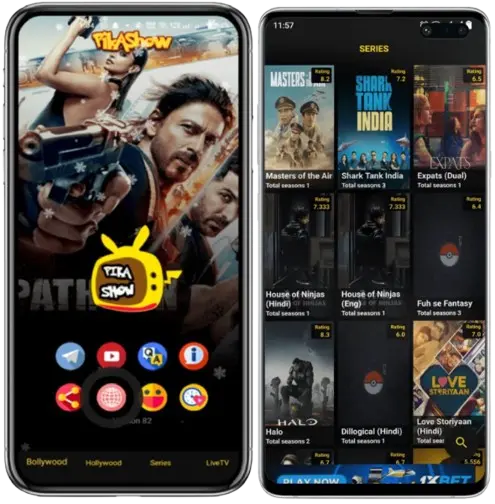
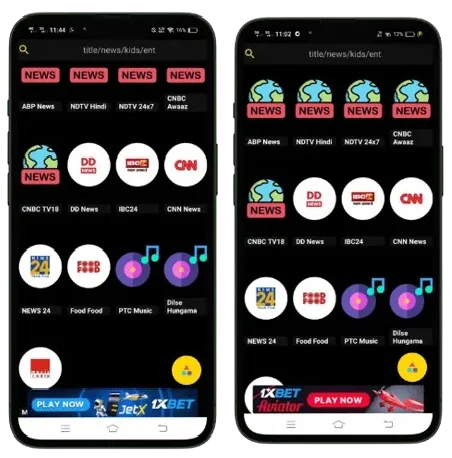
Pikashow is an innovative application that allows users to stream live sports, news, and a variety of television channels right from their Android devices. With its extensive content library, viewers can enjoy their favorite shows, matches, and informative broadcasts without interruption. However, it's important to note that Pikashow is not available on the Google Play Store, which means you'll need to install the APK file manually. In this guide, we will walk you through the step-by-step process of installing pikashow APK safely and efficiently.

Step-by-Step Installation Guide
- Download the APK File: First, you need to obtain the Pikashow APK file. It is crucial to download it from the official website or a trusted source to avoid any security risks.
- Locate the Downloaded File: After downloading, navigate to your device’s storage. Typically, the APK file will be found in the 'Download' folder.
- Enable Installation from Unknown Sources: When you click on the APK file, your device may block the installation. If this happens, go to Settings → Security/Privacy and enable the option to install apps from unknown sources. Remember to disable this option after the installation is complete to maintain your device's security.
- Complete the Installation: Follow the on-screen instructions to finish the installation process. Once it’s done, click on Open to launch the application.
.webp)
Security Warnings
When downloading and installing APK files, it is essential to prioritize your device's security. Always download the Pikashow APK from legitimate sources to avoid malware or harmful software. Before installing, it’s advisable to scan the APK file with an antivirus program. Once you have successfully installed the app, turn off the permission for installations from unknown sources for added safety.
Frequently Asked Questions (FAQ)
Do I need to register to use Pikashow?
No, you can use Pikashow without any registration. Just install the app and start enjoying your favorite content immediately.
What if the app is slow or keeps buffering?
If you experience slow performance or buffering, check your internet connection first. A stable and high-speed internet connection enhances streaming quality. Additionally, closing unused apps running in the background can free up resources.
Does Pikashow support tablets?
Yes, Pikashow is compatible with tablets as well as smartphones, allowing users to enjoy a larger viewing experience.
Disclaimer
Please note that Pikashow is a third-party aggregation tool. The content available through this application is copyrighted and belongs to the respective owners. Users take full responsibility for using this application and its content, and it is advised to stay informed about your local laws regarding streaming content.